Optimizing INP: Effective Strategies for Enhancing Core Web Vitals Performance
| Shelf | AI & ML |
|---|---|
| Date in | |
| Readers | 964 |
Discover practical strategies to enhance Interaction to Next Paint (INP) metrics and improve user experience by tackling core performance issues.
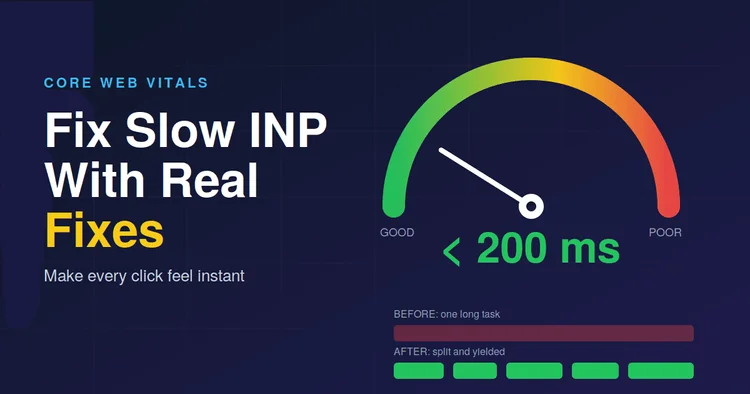
The frustration of a webpage that feels unresponsive can often be traced back to delays in rendering interactions. The Interaction to Next Paint (INP) metric, which became a Core Web Vital in March 2024, specifically measures the time between a user's interaction—like clicks or taps—and the browser's presentation of the next frame. This article explores the challenges associated with optimizing INP, how it differs from earlier metrics such as First Input Delay (FID), and practical techniques for improving performance.

Understanding INP and Its Components
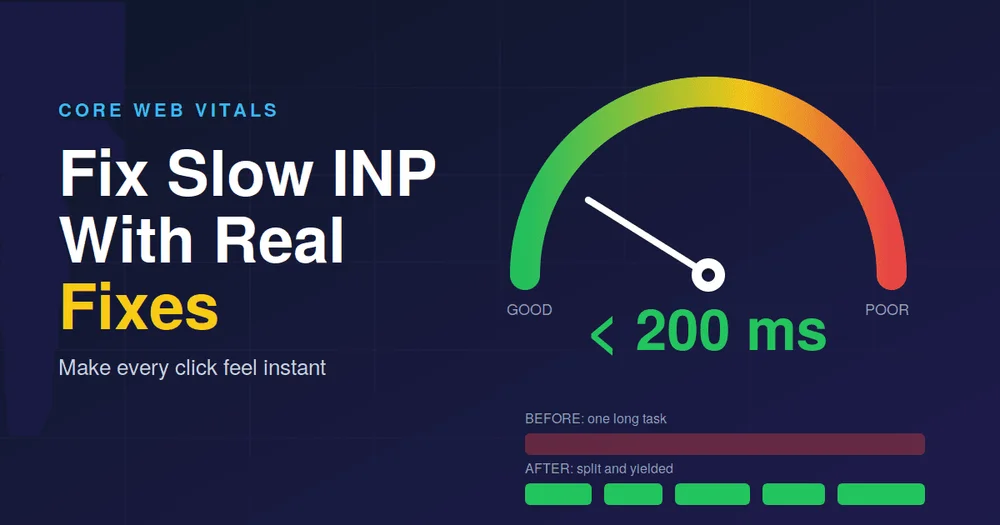
INP captures every user interaction across a visit and identifies the slowest response. Google's performance benchmarks categorize response times into three tiers: under 200 milliseconds is excellent, between 200 to 500 milliseconds requires improvement, and anything over 500 milliseconds is considered poor. These thresholds reflect data from real-world user interactions, particularly relevant for users with slower devices or network connections.
INP is divided into three key components:
- Input Delay: The time before an event handler can commence execution, often due to the main thread being busy with prior tasks.
- Processing Time: The duration the event handler requires to complete.
- Presentation Delay: The time taken by the browser to recalculate styles, layout, and render the output.
Recognizing which aspect of a delayed interaction causes issues is crucial as different solutions apply to each part.
Start with Real User Data
While lab tools like Lighthouse are useful, they often miss crucial real-world performance issues since they can't mimic actual user behavior. Instead, focus on real-user data, utilizing resources like the Chrome UX Report and the Core Web Vitals report accessed via Google Search Console. These tools can pinpoint problematic URLs effectively.
To analyze which interactions contribute to slow INP, consider using Google's open-source web-vitals library with the attribution build. This setup will provide a ranked list of elements causing performance issues, helping to identify which part of the interaction—input delay, processing time, or presentation delay—is the primary culprit.
Actionable Fixes for Improving INP
Once you've identified slow interactions, the following fixes can help alleviate performance bottlenecks:
Fix 1: Break Up Long Tasks
Long-running JavaScript tasks—defined as those exceeding 50 milliseconds—block the browser from responding to user inputs. To improve interactivity, break these tasks into manageable chunks. Use the scheduler.yield() to release control back to the browser, allowing it to process user interactions more promptly. For example:
async function processItems(items) {
    for (const item of items) {
        handle(item);
        if ('scheduler' in window && 'yield' in scheduler) {
            await scheduler.yield();
        } else {
            await new Promise(r => setTimeout(r, 0));
        }
    }
}
Fix 2: Optimize Event Handlers
Event handlers should execute minimal tasks immediately to provide user feedback, deferring heavier operations. Avoid cluttering event handlers with unnecessary operations, which can cause delayed response times. For example:
button.addEventListener('click', () => {
    openMenu(); // Immediate feedback
    requestAnimationFrame(() => {
        setTimeout(() => trackEvent('menu_open'), 0); // Deferrable task
    });
});
This approach ensures that the user perceives a responsive interface while background tasks take place after the important updates are reflected.
Fix 3: Reduce Rendering Cost
Even with optimized JavaScript, a complex DOM can lead to slow rendering. To enhance performance, consider:
- Reducing the DOM size to decrease style recalculation time.
- Implementing virtualization for long lists to only render visible elements.
- Using
content-visibility: autoto prevent the browser from rendering off-screen elements, saving resources. - Batching layout reads and writes to avoid layout thrashing.
- Utilizing CSS properties like
transformandopacityfor animations, which do not trigger layout recalculations.
Fix 4: Manage Third-Party Scripts
It’s critical to manage third-party scripts, as they also occupy the main thread, contributing to input delay. Load these scripts using async or defer attributes, and, where applicable, delay non-essential scripts until after the initial user interaction. Regular audits of these scripts are beneficial—remove any outdated or unnecessary ones to streamline performance.
Conclusion: Focus on Continuous Improvement
The transition to optimizing for INP requires a structured approach, prioritizing real-user data analysis and iterative improvements. Understanding the components of INP and implementing the proposed strategies can transform user experiences by reducing input delays significantly. Teams should continuously evaluate their performance, as even minor adjustments can yield substantial enhancements in interactivity and user satisfaction.
By adopting these practices and maintaining a critical eye on performance metrics, developers can ensure they meet modern web standards and provide optimal user experiences.