Analyzing Googlebooks: Performance and OS Limitations of the New Laptops
| Shelf | AI & ML |
|---|---|
| Date in | |
| Readers | 688 |
Googlebooks show promise with strong hardware but reveal significant OS limitations. A deeper look into performance, compatibility, and functionality is crucial.
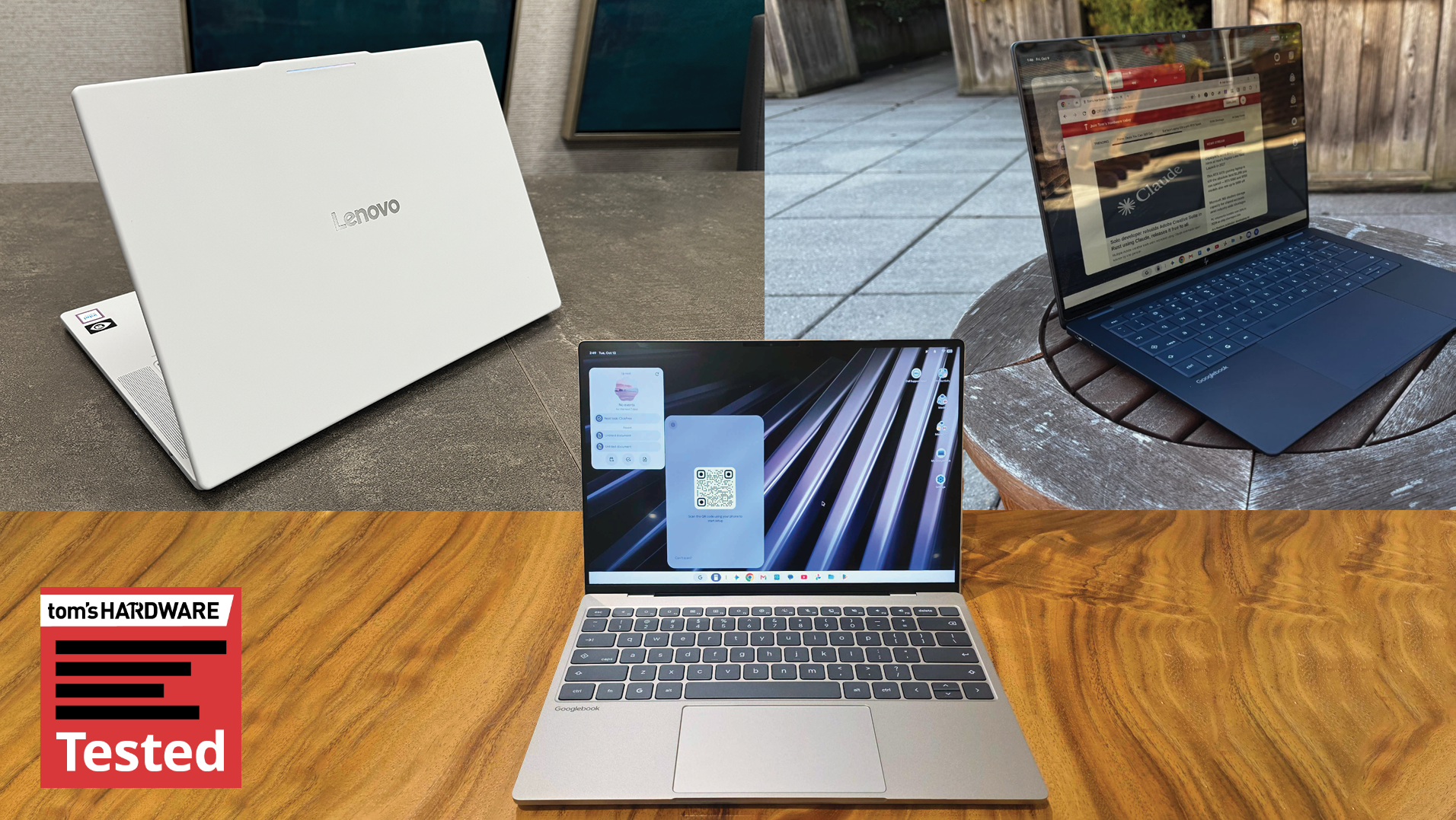
Chromebooks have often been criticized as basic devices, aiming primarily at educational markets. However, Google is making a significant effort to reposition its laptops with Googlebook, a new platform designed to transform these devices into capable PCs. This new OS leans heavily on Android's architecture, aiming to integrate closely with Android smartphones, paralleling the synergy seen in Apple’s macOS and iOS ecosystem. Yet, while the hardware from partners like Dell, Lenovo, and HP is impressive, the operating system's maturity leaves much to be desired.
Googlebook Hardware Insights
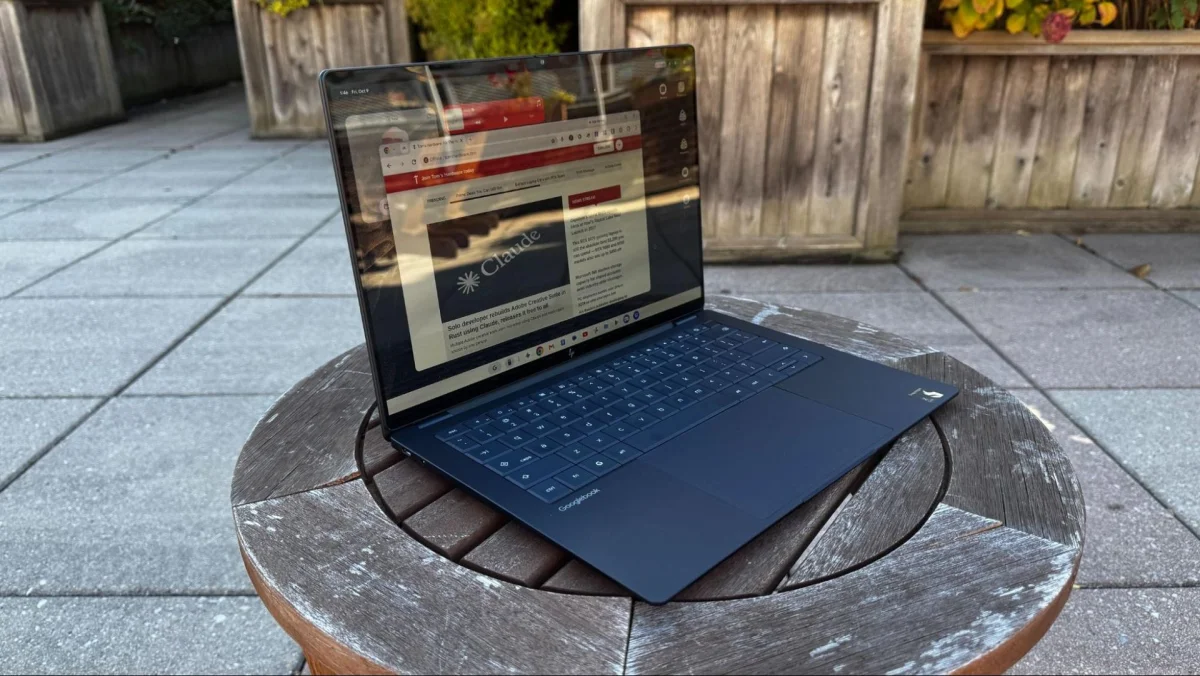
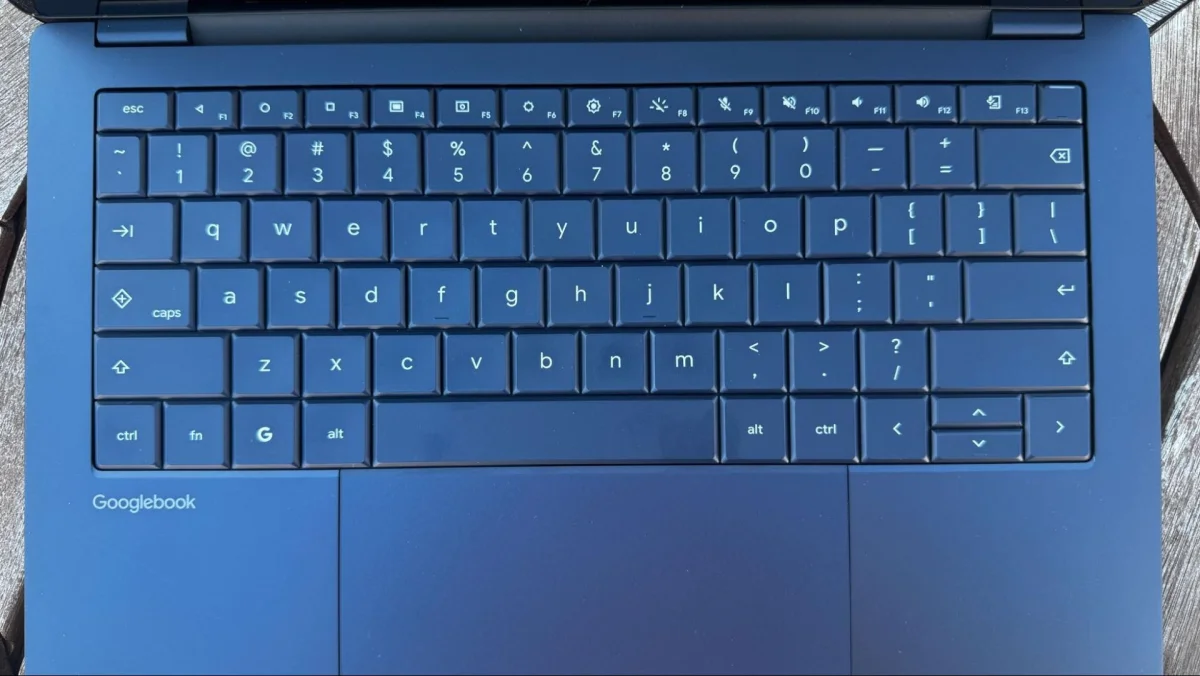
During my testing, I evaluated the Lenovo Googlebook 15, HP Googlebook 14, and Dell XPS Googlebook. The design aesthetics of these laptops align closely with their respective Windows counterparts—the HP Googlebook reflects the design of the HP OmniBook Ultra, while Dell's model echoes the Dell XPS 13, but introduces a haptic touchpad feature.
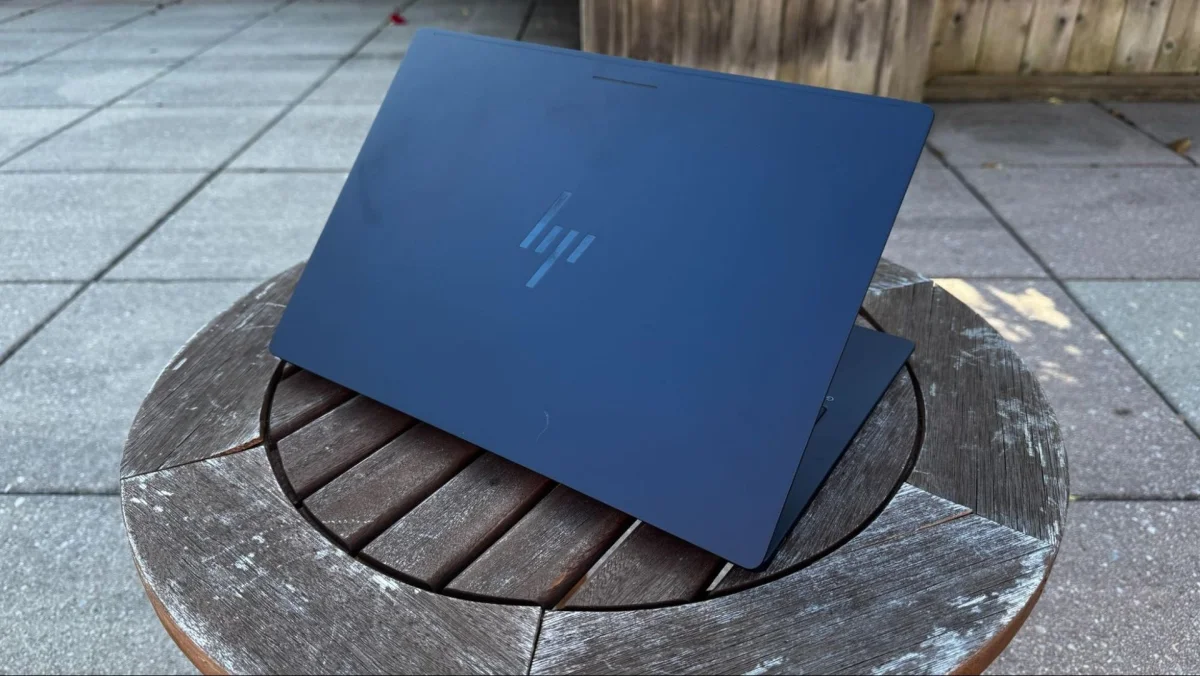
In terms of feel, the HP model offers a premium experience, while Lenovo’s Googlebook 15 stands out with its bright design and lightweight build at 2.84 pounds. Both HP and Lenovo feature high-resolution OLED displays (2880 x 1800), which deliver excellent visuals. In contrast, the Dell XPS opts for a slightly lower resolution LCD display at 2560 x 1600.
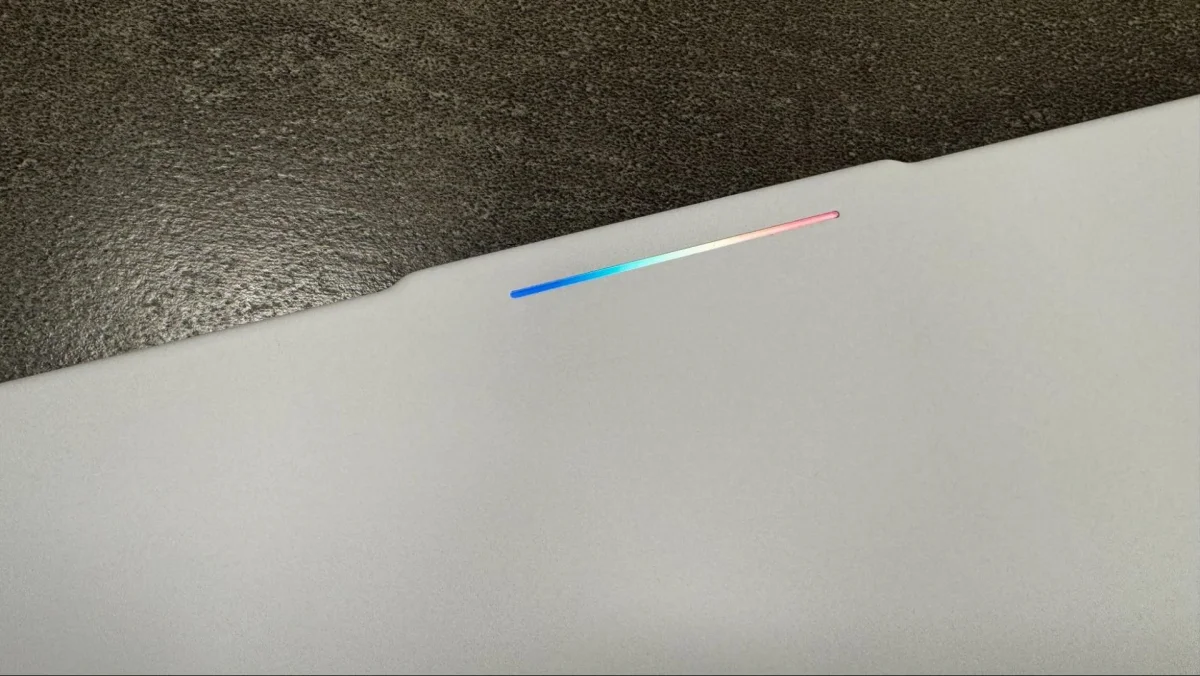
A common trait across all Googlebook models is the Glowbar—originally featured on the Chromebook Pixel and Pixel C. This unique light feature indicates system status and enhances user interaction through color changes during activities such as charging or device sleep. However, customization options for the Glowbar are limited, requiring users to dig into the settings to access special app functionalities, like the hidden Glowbar Disco. This amusing feature should ideally open up to a broader modification scope for the user.
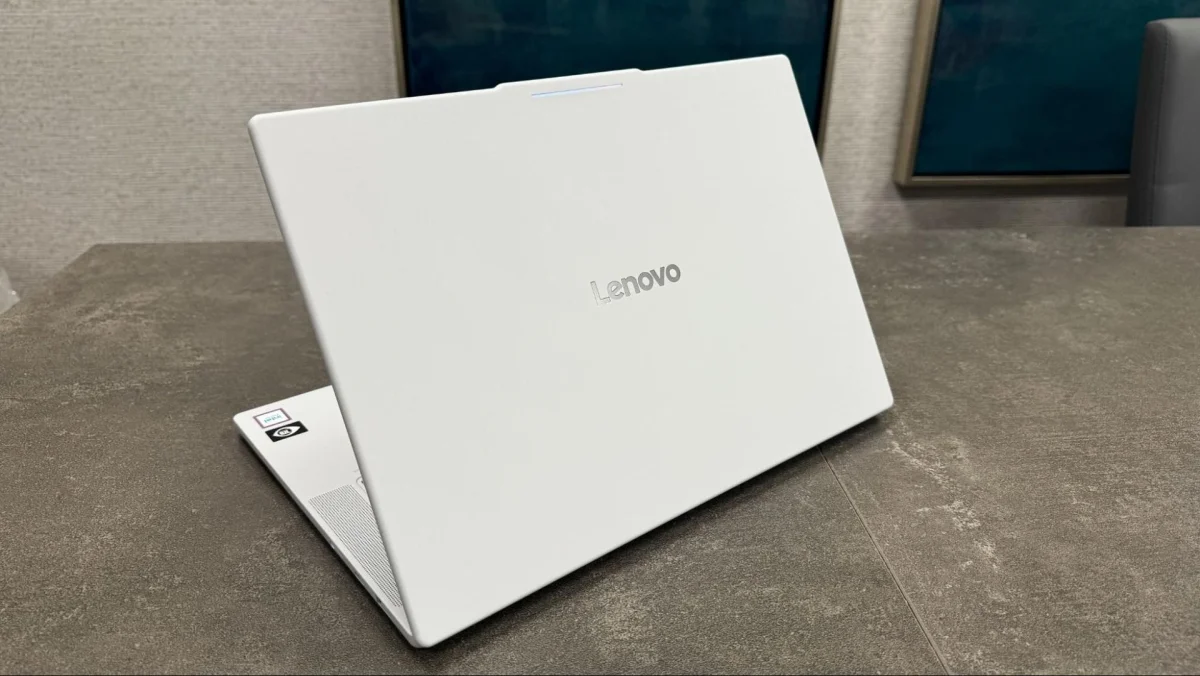
Hardware Performance: A Comparison of Processors
The first set of Googlebooks utilizes two different chipsets: the HP Googlebook 14 and Dell XPS Googlebook run on Qualcomm’s Snapdragon X1 Elite X chip, while the other models utilize Intel's Core Ultra 5 325 from the Panther Lake series. This choice raises questions regarding app compatibility, specifically with Android applications—most being optimized for ARM architecture, while Lenovo's Intel models encountered more issues compared to their Snapdragon counterparts.
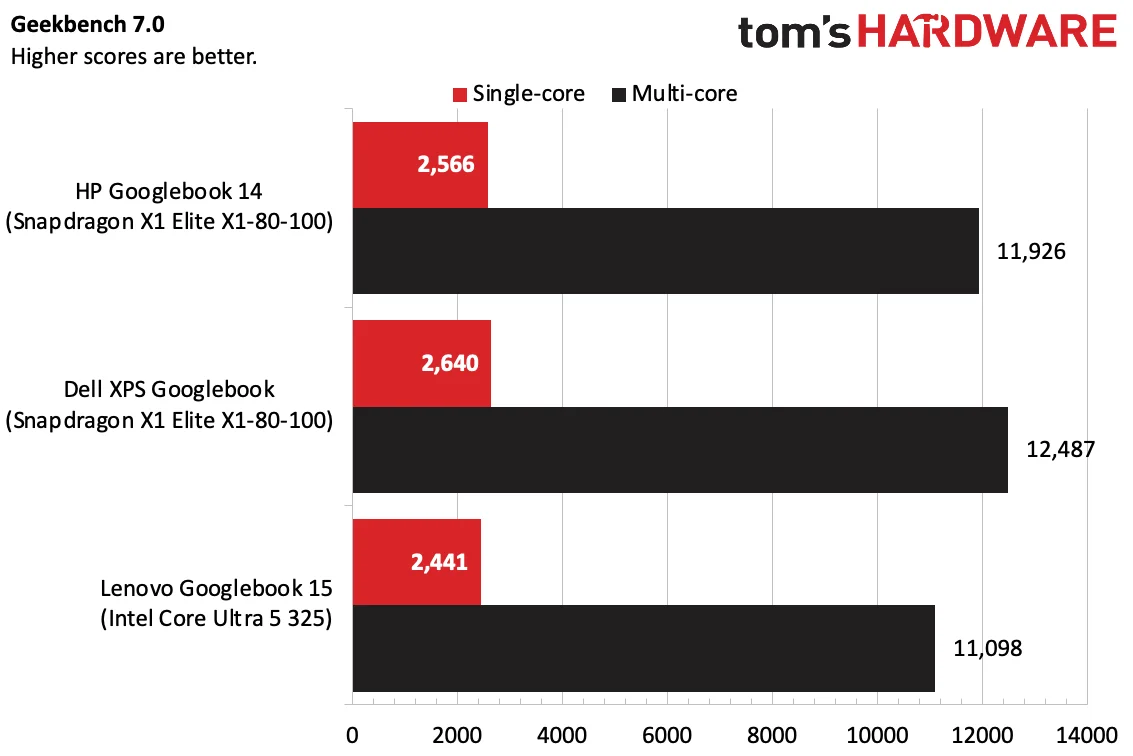
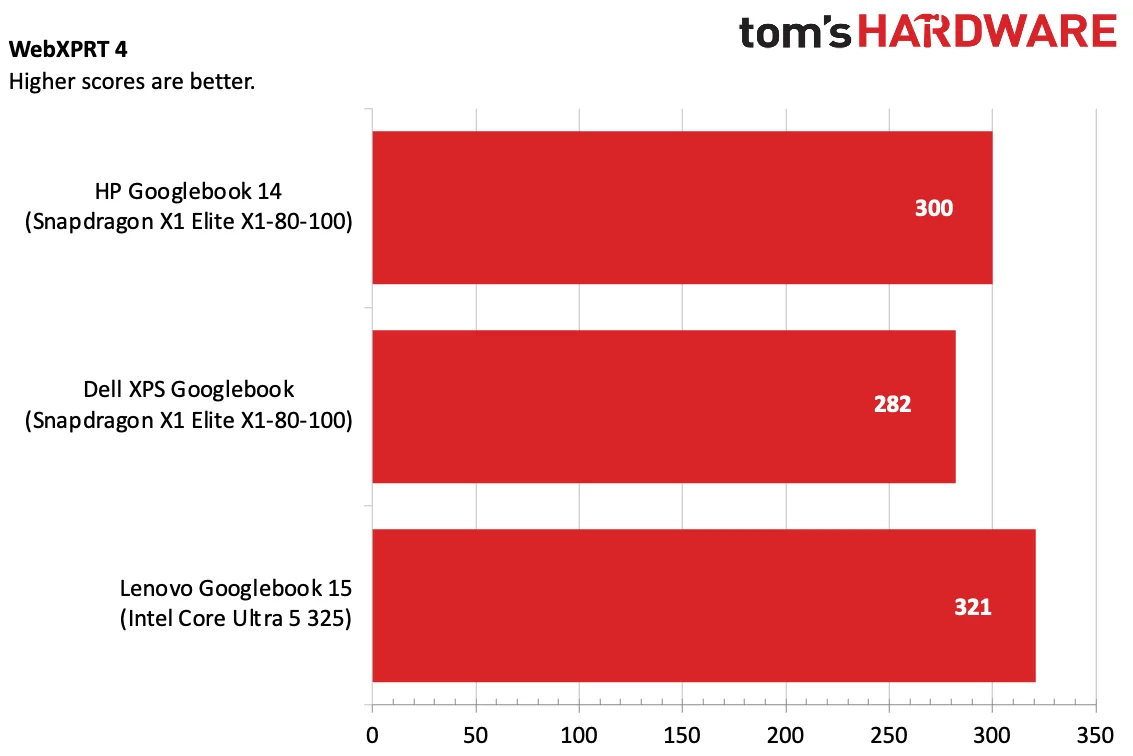
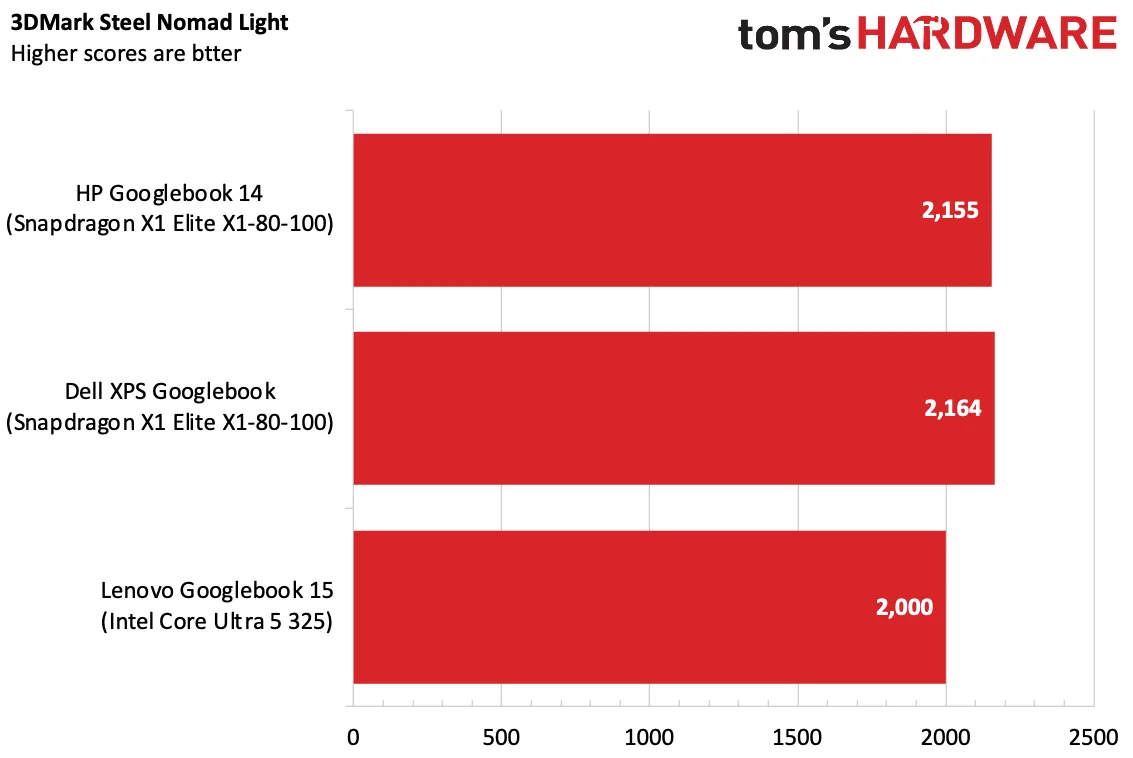
Benchmark testing indicated a performance edge for the Snapdragon-equipped devices, particularly in multi-core tasks measured by Geekbench 7. However, in tasks focused on browsing, the Lenovo’s Intel-based Googlebook did outperform in instances, reinforcing Google's assertion that users primarily engage with browsers.
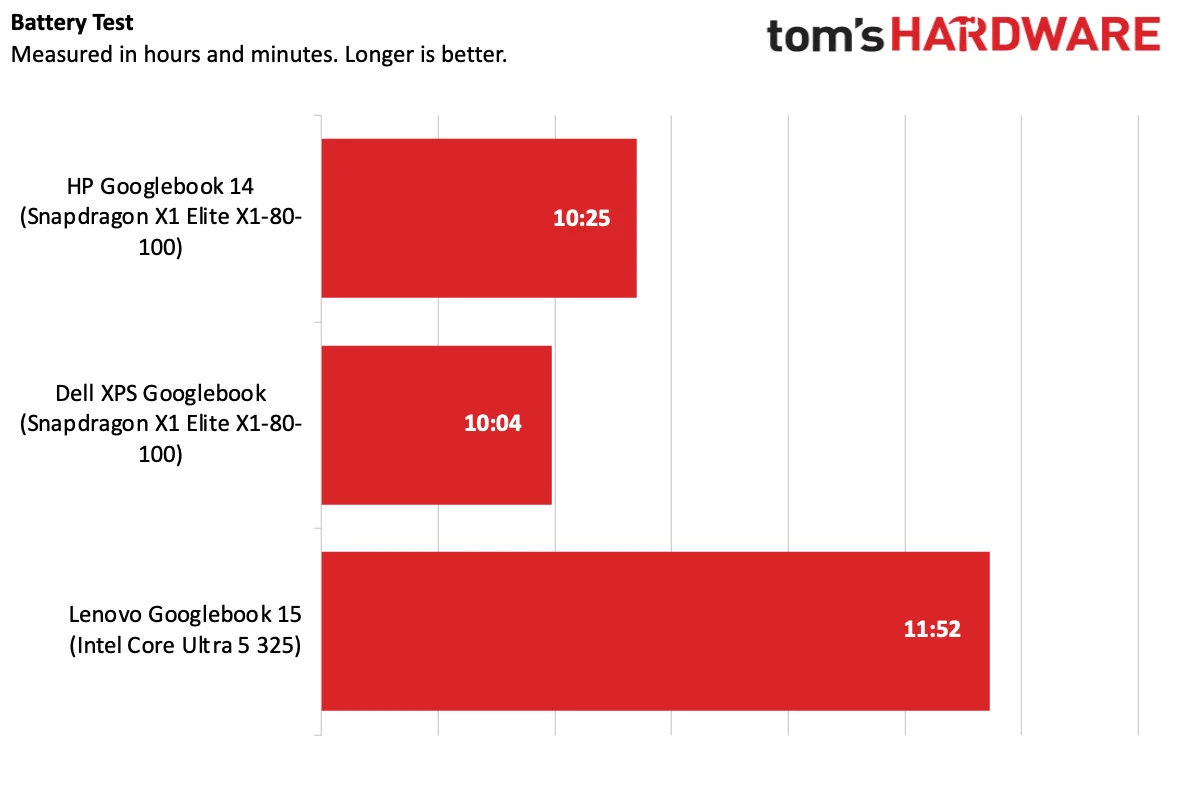
The performance disparity becomes even clearer in gaming scenarios, where the Snapdragon models excelled in tests like 3DMark's Steel Nomad Light. Battery life, however, revealed that Lenovo led the pack with nearly 12 hours, while the others struggled to exceed 10 hours of usage under stress conditions.
All models come with at least 16GB of RAM, but monitoring tools indicate hefty resource usage, likely accommodating the AI models employed in the OS itself.
The User Experience with Googlebook OS
Using a Googlebook is notably similar to operating an Android phone, especially if you’re already within Google's ecosystem. The interface includes a fixed taskbar complete with pre-made app folders for Google services, but lacks customization options for the user. The top status bar is reminiscent of mobile platforms, boasting quick settings shortcuts, though it doesn't allow for shifting from the desktop-like experience.
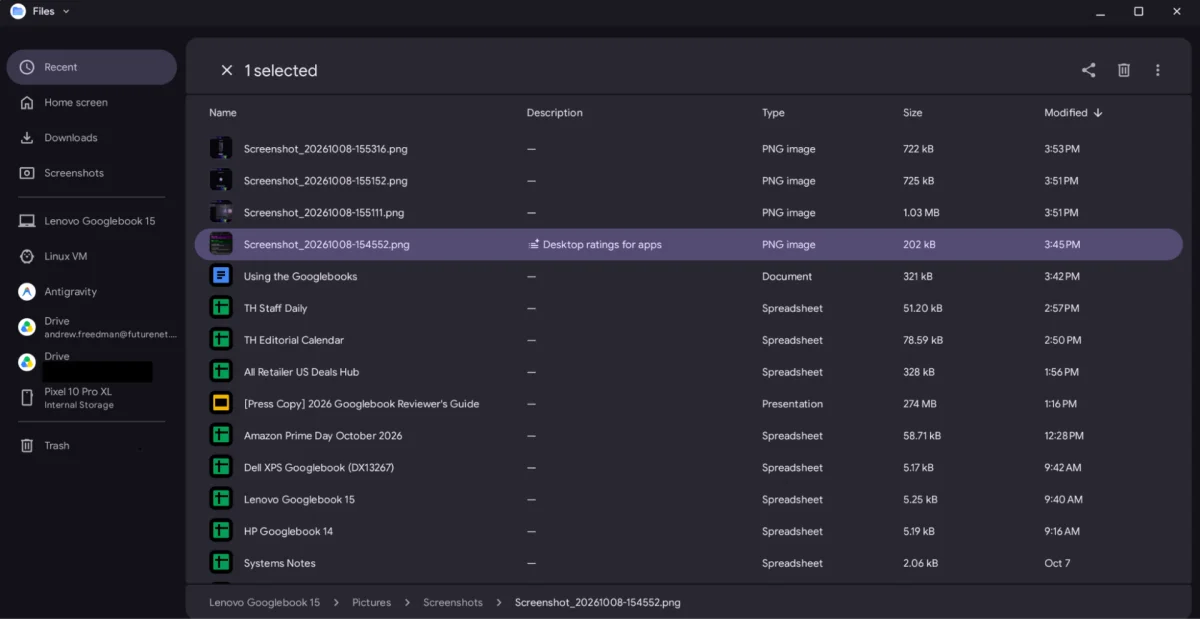
One major drawback includes distinct UI elements that feel touch-optimized, where actions that seem fluid on a touchscreen become unresponsive when using a mouse. The Files app, for instance, limits functionality that desktop users might expect, such as fundamental navigation buttons or drag-and-drop features between folders.
Worryingly, the pre-installed version of Google Chrome doesn’t support multiple user profiles, a feature critical for professionals who juggle various accounts. Nevertheless, Googlebook OS offers a Quick Insert feature that enables a central hub for clipboard content and recent browsing history, optimizing user efficiency during navigation.
Installing Apps: The Limitations of the Play Store
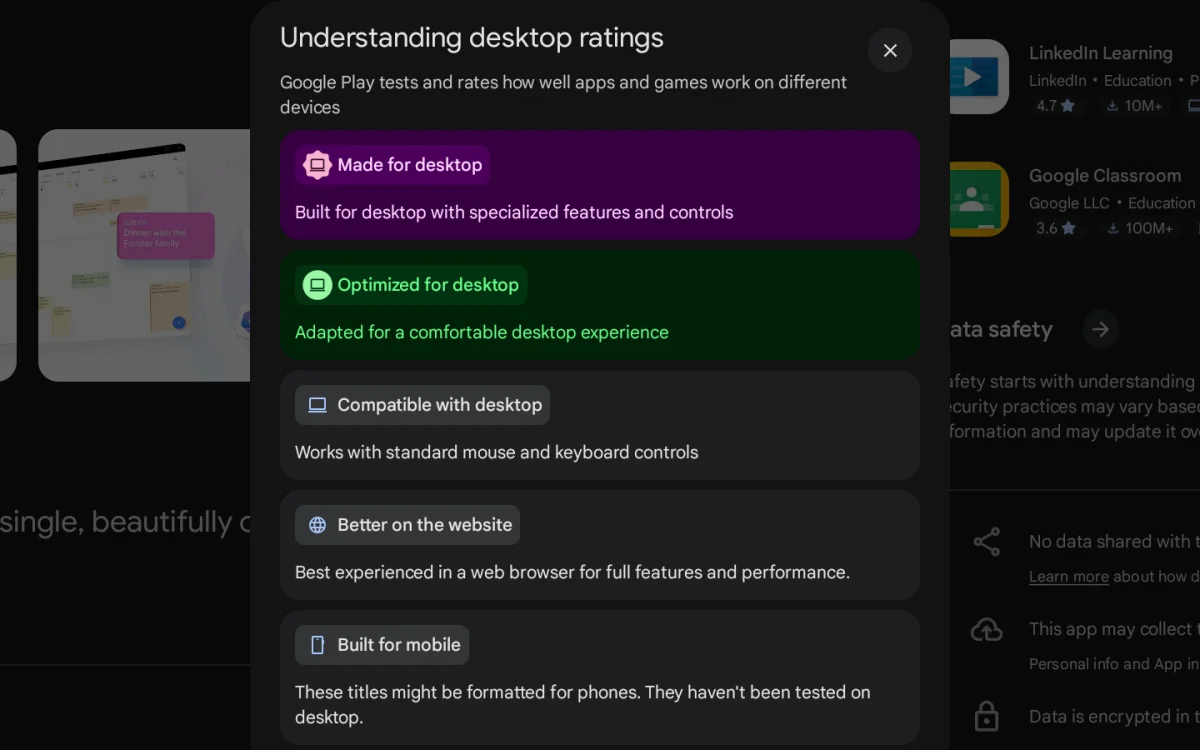
Users can only install applications through the Google Play Store, which adds a layer of restriction not seen on traditional systems like Windows or macOS. The platform categorizes apps based on desktop compatibility, labeling them as Made for Desktop, Optimized for Desktop, and Compatible with Desktop, among others. Each categorization indicates how well an app interacts with the Googlebook environment.
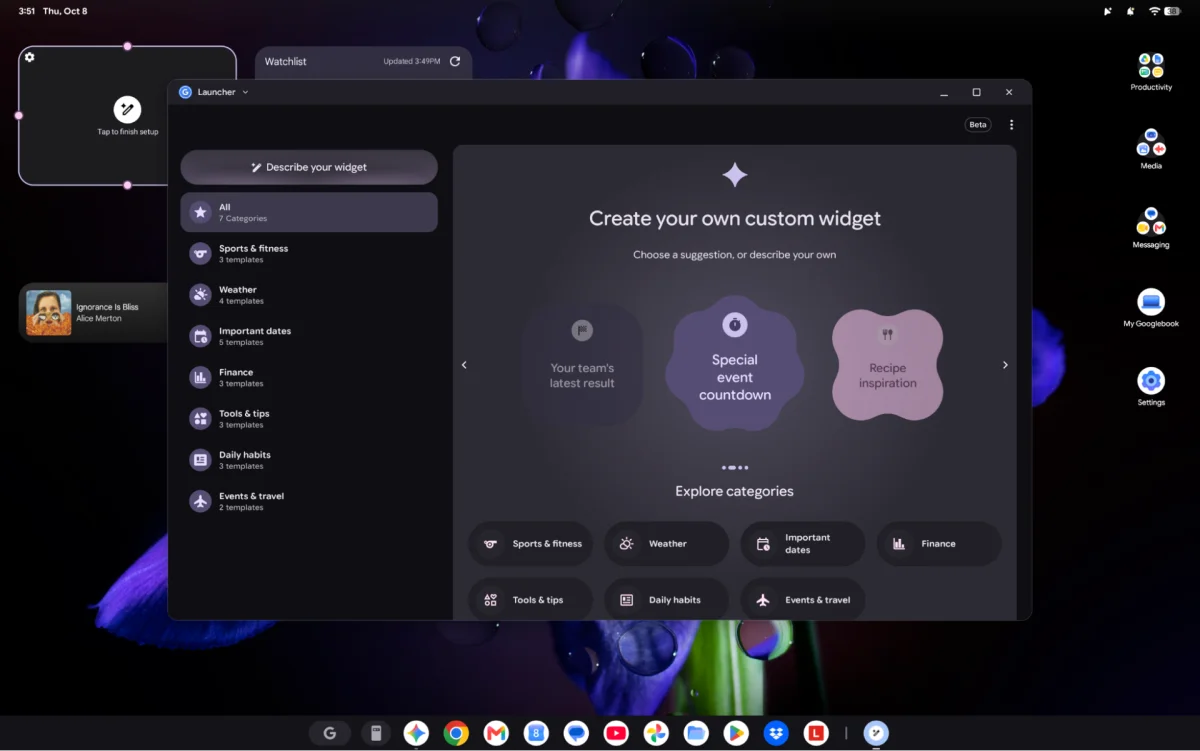
Unfortunately, many popular apps lacked optimization, demonstrating sub-par performance when adapted for desktop use. Even Google's native apps sometimes felt more like wrapped web applications rather than native solutions, showcasing how much work is needed to get developers onboard with true desktop experiences.
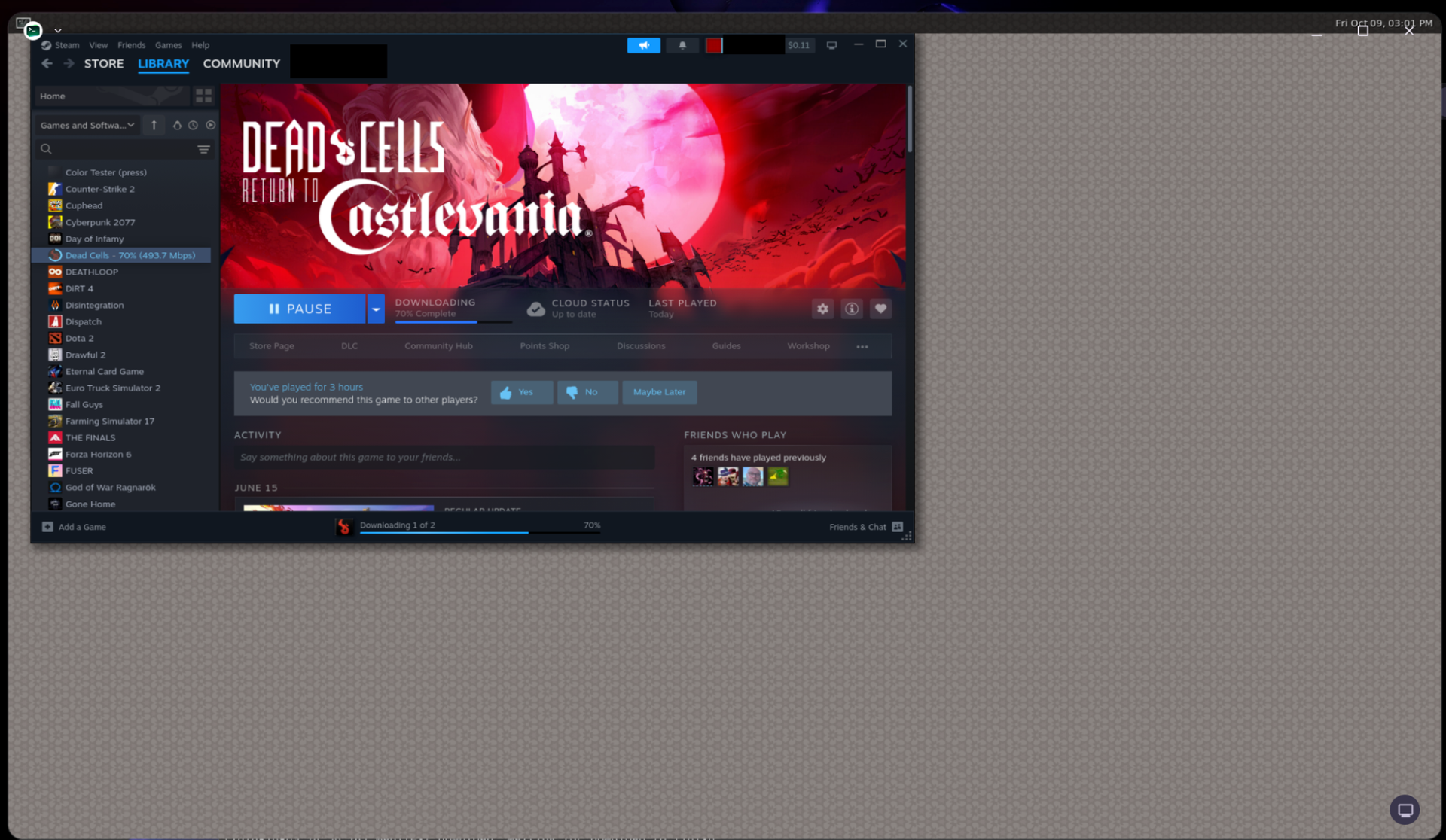
While users can consider setting up a Linux virtual machine to install additional software, it isn't efficient for mainstream use due to inherent limitations in app accessibility and performance.
Enhancing Cross-Device Functionality
One of the more ambitious features of Googlebooks is its ability to unify interactions with Android phones, enabling shared notifications and file transfers. This integration, however, is hampered by the requirement that users must own a compatible phone running Android 17, excluding many current Android users.
Testing these features on a Google Pixel revealed both the potential and shortcomings of this cross-device communication. While functionalities like app casting are compelling, the reliability of connectivity and notification syncing can be inconsistent. A seamless experience isn’t guaranteed, with lag or missed notifications impacting usability.
Similar to Apple's ecosystem continuity, features like Continue On allow users to begin an action on one device and carry it over to another. However, the current limitations in compatibility with third-party applications restrict overall usability.
AI Integration: A Mixed Bag
Googlebooks heavily integrate AI technologies, potentially streamlining user interactions. Tools like the Magic Cursor allow for quick information-sharing tasks, though actual user engagement with such features varies significantly. While there are promising functionalities in terms of simplifying processes with AI, many seem to under-deliver in practical application.
The Rambler tool adds an extra layer of dictation and voice recognition that is beneficial, particularly for those who prefer voice over traditional input methods. In contrast, offerings like the Antigravity app could introduce complexity for less technical users, raising concerns over security and usability when allowing broad permissions on AI-generated workflows.
The Debian Linux Experience
Each Googlebook includes a Debian Linux terminal, allowing users to delve deeper into app installations not available on the Play Store. While this is a positive addition, the applications run sluggishly, and interactions with the virtual machine can lead to performance bottlenecks, making it a less-than-ideal solution for users requiring stable software environments.
Future Considerations and Final Thoughts
The future of Googlebooks hinges on continued development around Googlebook OS to foster an environment more attuned to traditional computing experiences. For early adopters, the current offerings may be limiting, especially when considering the necessary optimizations for applications and features that matter most to users. Though the hardware stands strong in its design and capacity, the software foundation has yet to reach a point of maturity that would justify broad adoption.
Prospective buyers should weigh the current limitations against their needs. The integration of Google services may be appealing for dedicated Android users, but significant hurdles remain before these devices can be recommended broadly. Google's commitment to developers improving app experiences will be crucial in how this platform evolves.