Essential Techniques for Optimizing JavaScript Performance in Web Applications
| Shelf | AI & ML |
|---|---|
| Date in | |
| Readers | 442 |
Learn practical strategies to optimize JavaScript performance, including measurement techniques, event handling, and efficient coding practices to enhance user experience.

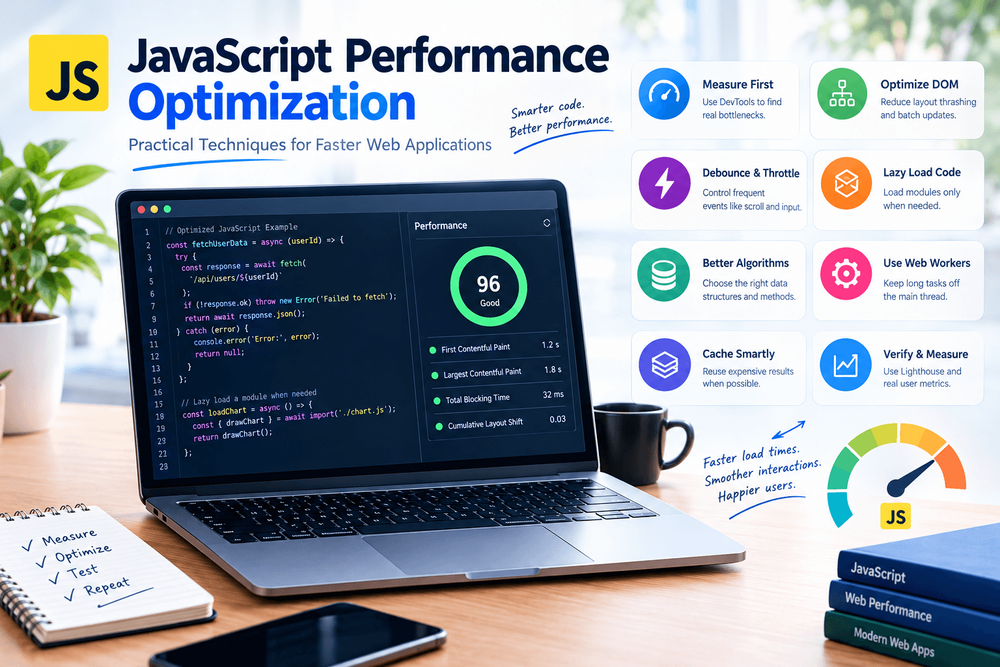
JavaScript is crucial for modern web applications, driving interactivity and dynamic content. However, poorly optimized scripts can lead to slow loading times and a frustrating user experience. By focusing on performance optimization, developers can significantly enhance their web applications. This guide highlights practical techniques to improve JavaScript performance, ensuring users have a smooth and responsive experience.
1. Measure Performance Before Changing Code
Optimizing code based solely on assumptions can lead to wasted effort. One optimization might seem necessary but could have little real impact. Therefore, identifying performance bottlenecks using browser developer tools is essential.
For instance, Chrome DevTools offers a Performance panel to record runtime activities, monitor long tasks, and analyze rendering issues. Meanwhile, the Network panel identifies oversized scripts or unnecessary requests hampering page load times.
Take the following function that calculates totals in a shopping cart:
function calculateTotal(items) {
  let total = 0;
  for (const item of items) {
    total += item.price * item.quantity;
  }
  return total;
}
While optimizing this function may seem appealing, it often doesn’t lead to noticeable improvements. On the contrary, operational delays during interaction-heavy processes like scrolling or rendering could severely impact user experience. The key takeaway: always measure performance first to identify the actual bottlenecks before making code changes.
2. Avoid Unnecessary DOM Updates
Using the Document Object Model (DOM) allows for dynamic changes, but frequent updates can adversely affect performance. Intermingling writes and reads can prompt the browser to recalculate layouts, causing delays.
For example:
const cards = document.querySelectorAll(".card");
cards.forEach(card => {
  card.style.width = "200px";
  console.log(card.offsetWidth);
});
This code alternates between modifying styles and accessing layout properties, which can trigger multiple synchronous layout calculations. A more effective approach is to separate the write and read operations:
cards.forEach(card => {
  card.style.width = "200px";
});
const widths = Array.from(cards, card => card.offsetWidth);
console.log(widths);
This alteration reduces unnecessary layout reads and writes. For complex interfaces, CSS classes help maintain a cleaner approach to styling:
document.querySelector("#notification").classList.add("notification--visible");This keeps style rules centralized within CSS, minimizing inline style changes.
3. Debounce and Throttle Frequent Events
Some events such as scroll or input can trigger handlers rapidly. If these handlers execute resource-intensive processes, performance can suffer. Debouncing and throttling provide two strategies to manage this.
Debouncing waits until event firing has ceased for a set period before executing a function:
function debounce(callback, delay = 300) {
  let timeoutId;
  return (...args) => {
    clearTimeout(timeoutId);
    timeoutId = setTimeout(() => {
      callback(...args);
    }, delay);
  };
}
For search input fields, this means only performing a search when the user pauses typing, which decreases unnecessary processing:
const searchInput = document.querySelector("#search");
searchInput.addEventListener("input", debounce(event => {
  console.log("Search for:", event.target.value);
}, 300));
In contrast, throttling limits function execution frequency during continuous triggers, useful for scroll updates or animations. However, an appropriate approach should be determined based on the specific use-case requirements.
4. Load JavaScript Only When Needed
Overly large JavaScript bundles can adversely affect load times and responsiveness. Using dynamic imports allows developers to load code as needed:
const button = document.querySelector("#open-chart");
button.addEventListener("click", async () => {
  const { renderChart } = await import("./chart.js");
  renderChart();
});
This method is particularly beneficial for features that aren't immediately necessary, such as charts or dashboards. Developers should also consider implementing route-based code splitting when using frameworks or bundlers for optimal module loading.
5. Use Efficient Data Structures and Algorithms
As datasets increase in size, the efficiency of algorithms and data structures becomes paramount. For instance, checking user access privileges repeatedly using an array could be suboptimal:
const allowedUsers = ["u101", "u205", "u309"];
function canAccess(userId) {
  return allowedUsers.includes(userId);
}
This is acceptable for small arrays, but larger datasets will benefit more from a Set, which provides faster membership checks:
const allowedUsers = new Set(["u101", "u205", "u309"]);
function canAccess(userId) {
  return allowedUsers.has(userId);
}
Carefully evaluating dataset size and utilizing the right structures can yield greater performance improvements than superficial code changes. The principles also apply to searching, filtering, and organizing data.
6. Keep Long Tasks Away From the Main Thread
JavaScript executed in the browser's main thread competes with user interface interactions. Long tasks can prevent immediate user responsiveness. Here, Web Workers can execute heavy computations off the main thread:
const worker = new Worker("./calculation-worker.js");
worker.addEventListener("message", event => {
  console.log("Calculation result:", event.data);
});
worker.postMessage({ values: [10, 20, 30, 40] });
Within the worker, data processing occurs independently, thus freeing up the main thread for user interactions. This pattern especially helps with CPU-heavy tasks like data processing and image manipulation. However, Web Workers don't have direct access to the DOM, so the main thread must handle user interface updates accordingly.
7. Cache Expensive Results Carefully
For computations that receive identical inputs repeatedly, caching results can avoid unnecessary recalculations:
const cache = new Map();
function calculateDiscountedPrice(price, discount) {
  const key = `${price}:${discount}`;
  if (cache.has(key)) {
    return cache.get(key);
  }
  const result = price * (1 - discount);
  cache.set(key, result);
  return result;
}
Caching is especially useful for expensive calculations that occur frequently. However, developers must also consider memory usage and cache invalidation to avoid performance bottlenecks from overly complex caching strategies.
8. Verify Improvements With Real Measurements
After implementing changes, re-evaluating performance under the same conditions is vital. Useful tools include:
- Chrome DevTools Performance: To track JavaScript execution, layout, and rendering timelines.
- Lighthouse: For auditing performance and identifying improvement areas.
- PageSpeed Insights: To review diagnostic data.
- Network Panel: To inspect request behaviors and resource sizes.
Metrics like Largest Contentful Paint (LCP), Interaction to Next Paint (INP), and Cumulative Layout Shift (CLS) can assess improvement impacts on user experience. Measurement isn't solely about execution speed; it reflects user-facing performance aspects that affect satisfaction.
Conclusion
Optimizing JavaScript for performance requires a holistic approach: understanding real application behavior through measurement, minimizing unnecessary work, controlling event handling, managing resource loading, and utilizing appropriate data structures. The goal should always be to enhance the user experience without complicating the underlying code unnecessarily.
By measuring before making changes and validating each modification’s impact, developers can effectively build scalable, responsive web applications as user demands evolve.