A Practical Guide to Ensuring Readable AI-Generated Documentation in CI
| Shelf | AI & ML |
|---|---|
| Date in | |
| Readers | 715 |
This playbook outlines a systematic approach to maintaining human-readable AI-generated documentation through a structured CI process, including a checklist and verification steps.
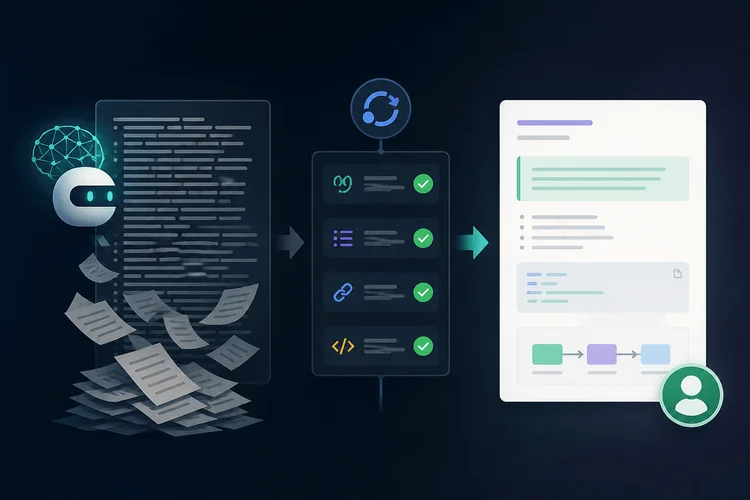
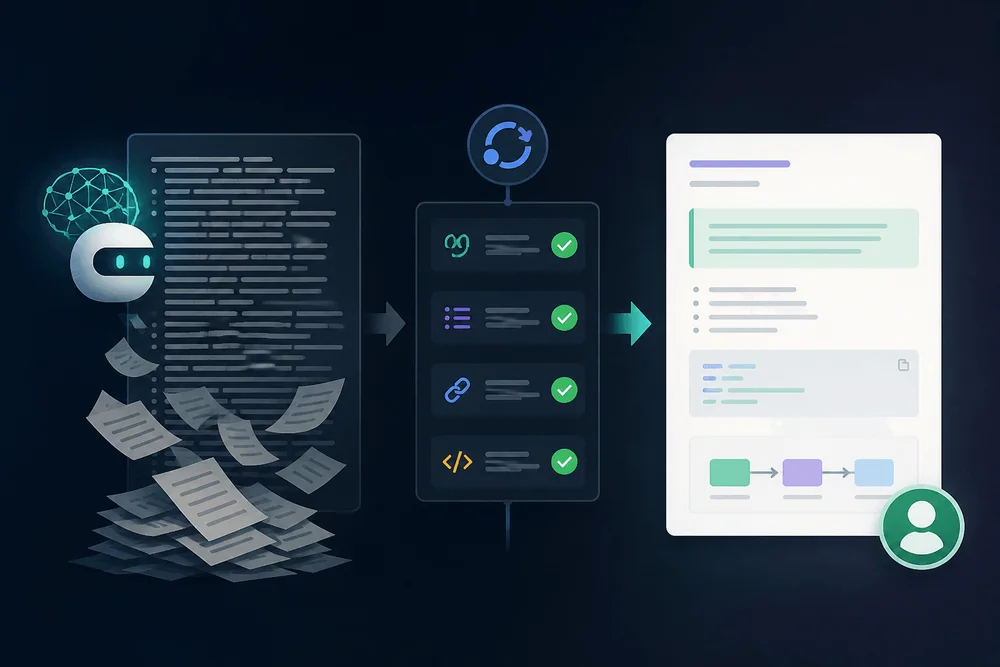
As teams increasingly integrate large language models (LLMs) for documentation, a common issue arises: the AI-generated content often appears polished but becomes unreadable in practical application. This scenario presents serious challenges, particularly when these documents serve as input for further AI generation, leading to a vicious cycle of diminishing quality that human reviewers struggle to rectify. To combat this, a systematic approach combining a documentation skeleton, a pull request (PR) checklist, prose linting with Vale, and structural validation through custom scripting is essential to filter out unreadable documentation before it enters the codebase.

Table of Contents
- The Problem: Documentation Written by Machines, for Machines
- The Doc Skeleton: Four Required Sections
- The PR Checklist: Catching Problems Before Review
- Linting Prose with Vale: Enforcing Readability at CI Time
- Structural Checks with a Shell Script
- Wiring It Together: A GitHub Actions Workflow
- Making It Stick: Culture, Not Just Tooling
- Key Takeaways
The Problem: Documentation Written by Machines, for Machines
How AI-Generated Docs Collapse into Unreadable Text
Engineering communities are seeing a recognizable pattern of frustration with AI-generated documentation. After utilizing LLMs to draft documents, teams commit these artifacts, which are later re-ingested by other LLMs for future document generation. Each iteration tends to strip out essential elements like decision-making rationale and contextual assumptions, often leading to commands presented in a syntactically correct yet semantically empty form.
Indicators of this issue include overly lengthy command-line instructions littered with unexplained flags, sprawling Terraform blocks with no annotations, and the absence of crucial human context in configuration files. While documentation may technically exist, it fails to serve its purpose - effectively guiding the user.
This isn't merely hypothetical; it's the standard outcome when AI generates documentation absent any structural constraints. The output may flow well, the Markdown may render perfectly, but the content often lacks validity or verifiability.
Why Standard Code Review Doesn't Catch It
Documentation pull requests attract less scrutiny during reviews than their code counterparts. Reviewers often skim through documentation, finding it deceptively complete due to its fluent language and professional formatting. This lack of rigorous checking means that faulty or unclear documentation can slip through unnoticed, resulting in real-world complications — inexperienced engineers struggling with setup instructions and incident responders relying on inaccurate runbooks during crises.
The lack of structural requirements means that reviewers cannot point to specific criteria for rejection, and while they might sense something is off, concrete rules are absent. This gap reveals itself over time: teams suffer from onboarding gaps or poor knowledge transfer that accumulate across iterations.
The Doc Skeleton: Four Required Sections
The foundational strategy to ensure documentation remains readable is a strict four-part skeleton every document must adhere to, each section addressing a potential failure mode.
Purpose
This section should be one to three sentences stating what the document allows the reader to do and the circumstances under which it is necessary. This constraint serves a dual purpose: it compels authors—human or AI—to clearly articulate the document's aim and highlight those documents that are not well-defined or serve multiple purposes.
Human Summary
A straightforward paragraph that elucidates the approach and key decisions without delving into code or technical jargon is essential. LLMs frequently neglect this segment, launching straight into implementation; a human summary requires authors, or the prompts they use with AIs, to explain processes and thoughts before detailing practical steps.
Annotated Commands
Each code snippet, whether a command-line instruction or a configuration block, must include accompanying annotations detailing the rationale behind specific flags and values. A rule mandates no command block should exceed ten lines without adjacent explanations. Maintaining this limit aims to keep the content digestible. The annotation transforms opaque configurations into understandable records of decision-making.
For instance, a Terraform command may set min_capacity = 2 without indicating that this figure is chosen to withstand a failure in one availability zone. An annotated version clarifies that reasoning, making explicit the rationale behind choices made.
## Purpose
This document details the configuration process for the staging VPN, allowing on-call engineers to access internal dashboards during an incident.

## Human Summary
We opted for WireGuard rather than OpenVPN due to its lesser kernel dependencies in our Amazon Linux 2023 fleet. The key pair is unique per engineer and stored in 1Password, with traffic routed solely to the 10.0.0.0/8 range to mitigate split-tunnel issues.
## Annotated Commands
Generate a WireGuard key pair for the new team member:
# umask 077 prevents the private key file from being accessible to others, ensuring only root can read it.
umask 077 && wg genkey | tee /etc/wireguard/private.key | wg pubkey > /etc/wireguard/public.key
# Adding the peer in the server configuration:
# AllowedIPs restrict the peer to internals and PersistentKeepalive ensures NAT traversal remains open.
[Peer]
PublicKey =
AllowedIPs = 10.0.0.0/8
PersistentKeepalive = 25
## How to Verify
Verify the connection with the following command, which should return a `200` status:
curl -s -o /dev/null -w "%{http_code}" https://grafana.internal.example.com
Expected output: `200`. If you see `000` or experience a timeout, check the `AllowedIPs` setting to ensure it aligns with the intended subnet.
How to Verify
This concluding section effectively identifies errors through verification steps. Each document must specify verifiable outcomes, such as execution commands and expected results, crucial for demonstrating task completion.
LLMs can create plausible procedures, but outlining a verification step that's genuinely effective requires accurate foundational content. Forcing authors to clarify what "done" looks like helps to unearth hollow documentation.
The PR Checklist: Catching Problems Before Review
A Docs-Specific PR Template
Utilizing a tailored PR template ensures explicit expectations for contributors. This approach shifts the burden of proof from reviewers to the authors and allows for a definitive checklist that can be followed, whether by human teams or AI-assisted processes.
It's noteworthy that GitHub auto-applies a PR template only when it exists as the sole file under .github/PULL_REQUEST_TEMPLATE.md. For additional templates, contributors must select them manually or apply a query parameter.
<!-- .github/PULL_REQUEST_TEMPLATE/docs.md -->
## Documentation PR Checklist
- [ ] **Purpose** section exists and is ≤ 3 sentences
- [ ] **Human Summary** exists with no code or jargon
- [ ] No command block exceeds 10 lines without annotation
- [ ] **How to Verify** section includes runnable commands
- [ ] I have personally run the verification steps
- [ ] All flags and non-default values are explained
- [ ] Document follows the four-section skeleton
The most critical checklist item is that the contributor must personally run the verification steps. This acts as a gate for integrity; while it is not automatable, its inclusion generates social pressure and creates an audit trail of accountability. If a document is merged with a broken verification, the issue becomes a process violation, not merely a document flaw.
Linting Prose with Vale: Enforcing Readability at CI Time
Why Vale, and What It Can (and Can't) Catch
Vale acts as a prose linter rather than a mere spellchecker. It upholds stylistic standards in Markdown content, identifying issues such as excessive sentence length, passive voice, imprecise language, and jargon. Users can extend it through YAML-based configurations and choose from a selection of style packages already included.
However, Vale does not validate structural guidelines—it won't check for required sections or enforce specific line limits. The following shell script addresses these structural needs, making Vale and the shell script complementary tools: Vale improves prose, while the script maintains document format.
A Vale Configuration for House-Style Doc Rules
The .vale.ini file specifies the enforcement of rules within the docs directory and selects applicable style packages. The write-good and proselint packages manage prevalent LLM prose pitfalls, preventing constructs like passive phrases and cluttered language.
# .vale.ini
StylesPath = .vale/styles
MinAlertLevel = warning
Packages = write-good, proselint
[docs/**/*.md]
BasedOnStyles = Vale, write-good, proselint
Vale.Terms = YES
write-good.Passive = YES
write-good.Weasel = YES
write-good.TooWordy = YES
The above configuration should be placed at the repository's root. The Packages directive indicates which style sets to activate. A pre-linting step must be executed by running vale sync to guarantee all necessary packages are fetched.
Writing a Custom Vale Rule: Flagging Unexplained Flags
Indeed, one prevalent misstep in AI documentation involves sequences of code blocks lacking accompanying prose. A custom Vale rule can be developed to flag this occurrence, but note that Vale operates using the RE2 regex engine, which does not permit certain features that may facilitate nuanced matching. The creation of a simple regex recognizably identifies the most frequent issue of consecutive blocks, yet experienced nuances may demand complementary checks as provided in the shell script described later.
# .vale/styles/custom/ConsecutiveCodeBlocks.yml
extends: existence
message: "Consecutive code blocks without explanatory prose between them."
level: warning
scope: raw
raw:
  - '```\s*\n\s*```'
As the regex processes the Markdown source unfiltered, the rule aims to produce warnings for insufficient context within code segments. However, it is critical to implement multi-line evaluations through the shell script for accurate detections across related content.
Structural Checks with a Shell Script
What the Script Enforces
This script covers three key structural checks that Vale cannot manage: confirming the existence of required headings, enforcing line limits on sections, and ensuring intervals of prose between successive code blocks. The default threshold for section length is set to 80 lines to facilitate legible presentation while accommodating necessary code annotations.
Prerequisites
- OS: GNU/Linux or macOS, as the script needs
perlfor broad regex capabilities. - Shell: Bash, given the use of features incompatible with
shordash. - Tools: Ensure availability of
grep,awk, andperl.
The Script (Starting Point, Not Production-Ready)
This shell script functions as a base template but requires adjustments suit specific documentation structures and repository conventions. Save this as scripts/doc-structure-check.sh in the repo's root with execute permissions.
#!/usr/bin/env bash
# scripts/doc-structure-check.sh
# STARTING POINT - test and adapt before production use.
# Usage: ./doc-structure-check.sh  [file ...]
# Override section line limit: MAX_SECTION_LINES=120 ./doc-structure-check.sh ...
set -euo pipefail
MAX_SECTION_LINES="${MAX_SECTION_LINES:-80}"
REQUIRED_HEADINGS=("Purpose" "Human Summary" "Annotated Commands" "How to Verify")
ERRORS=0
for file in "$@"; do
  if grep -m1 -q '^' -- "$file"; then
    echo "SKIP [$file]: skip-doc-lint directive found, skipping checks"
    continue
  fi
  for heading in "${REQUIRED_HEADINGS[@]}"; do
    if ! grep -Eqi "^#{1,6}[[:space:]]+$heading[[:space:]]*$" -- "$file"; then
      echo "ERROR [$file]: Missing required heading: '$heading'"
      ERRORS=$((ERRORS + 1))
    fi
  done
  awk_out=$(awk -v max="$MAX_SECTION_LINES" -v file="$file" '
    /^#+[[:space:]]/ {
      if (count > max) {
        printf "ERROR [%s]: Section \"%s\" is %d lines (max %d)\n", file, section, count, max
      }
      section = $0; count = 0; next
    }
    { count++ }
    END {
      if (count > max) {
        printf "ERROR [%s]: Section \"%s\" is %d lines (max %d)\n", file, section, count, max
      }
    }' "$file" 2>&1)
  if [ -n "$awk_out" ]; then
    printf '%s\n' "$awk_out"
    ERRORS=$((ERRORS + $(printf '%s\n' "$awk_out" | grep -c '^ERROR' || true)))
  fi
  if ! perl -0777 -ne 'exit 1 if /^```[^\n]*\n(?:(?!```)[^\n]*\n)*?```[ \t]*\n\s*```/m; exit 0' -- "$file"; then
    echo "ERROR [$file]: Consecutive code blocks without prose between them"
    ERRORS=$((ERRORS + 1))
  fi
done
exit $((ERRORS > 0 ? 1 : 0))
Handling Edge Cases and Failures Gracefully
The script delivers user-friendly error messages, offering clear insights into specific issues found in documentation. The presence of a directive for skipping document linting is also accommodated, but this should be a controlled process with accountability, ensuring that no case for avoidance becomes the norm.
Wiring It Together: A GitHub Actions Workflow
The CI Pipeline
The proposed CI process activates upon any PR that modifies files in the documentation folder, where motions to install Vale, synchronize packages, and execute both prose and structural checks take place. If any stage fails to meet requirements, actionable insights will be provided in the PR for resolution.
Before introducing the shell script to CI, extensive testing is advised against your specific corpus of documentation to address possible edge cases. The script must be configured with fail_on_error: true so that violations trigger an appropriate block of any merges.
# .github/workflows/doc-lint.yml
name: Documentation Lint
on:
  pull_request:
    paths:
      - 'docs/**/*.md'
jobs:
  doc-lint:
    runs-on: ubuntu-latest
    env:
      MAX_SECTION_LINES: "80"
    steps:
      - name: Checkout
        uses: actions/checkout@v4
      - name: Lint prose with Vale
        uses: vale-cli/vale-action@d89dee975228ae261d22c15adcd03578634d429c
        with:
          files: docs/
          vale_flags: "--config=.vale.ini"
          reporter: github-pr-review
          fail_on_error: true
      - name: Structural checks
        run: |
          chmod +x ./scripts/doc-structure-check.sh
          fail=0
          while IFS= read -r -d '' f; do
            ./scripts/doc-structure-check.sh "$f" || fail=1
          done
By utilizing the paths filter, unnecessary CI overhead is avoided when code changes are merged without altering documentation files. The fail_on_error: true flag compels the CI process to reject merges upon finding any prose or structural violations. The Vale integration is fixed to deploy from a specific commit to sidestep dependencies that may introduce unexpected changes.
Making It Stick: Culture, Not Just Tooling
When to Override the Linter
Not all documentation types conform to the prescriptive four-section format applicable mainly to procedural guides; documents such as incident postmortems or architectural decision records have distinct structures and purposes. While flexibility exists via the skip-doc-lint directive, any such exceptions must be clearly articulated in comments to prevent noncompliance from becoming a default practice.
Reviewing AI-Generated Docs Like Code
Consider the verification section as vital to documentation quality, akin to passing tests for code. Documentation should not merge without verified procedures.
This perspective encourages reviewers to engage actively with verification steps as opposed to merely reviewing the textual representation, a practice that builds confidence in the correctness of subsequent documentation.
Key Takeaways
- Documentation generated by AI frequently becomes unreadable without structural standards to enforce quality.
- The outlined four-part skeleton (Purpose, Human Summary, Annotated Commands, and How to Verify) mandates clarity and usability, regardless of the author.
- Vale addresses prose-level issues, while the shell script manages structural integrity, resulting in a comprehensive CI process that ensures quality documentation.
- Through the use of a PR template, expectations are articulated, enabling contributors to uphold documentation standards effectively, whether human or assisted