Navigating ARM Container Migration: Common Pitfalls and Testing Strategies
| Shelf | AI & ML |
|---|---|
| Date in | |
| Readers | 881 |
Migrating Docker containers from x86 to ARM can lead to runtime failures due to architecture-specific dependencies. Here’s how to mitigate risks.
Key Takeaways

- A successful build doesn’t guarantee a functioning container; architecture-specific binaries may fail at runtime.
- Native dependencies can cause silent failures or performance degradation; this is often where teams encounter issues.
- Testing on ARM hardware before deployment is crucial, as it helps uncover hidden migration issues that could lead to outages.
Transitioning a service from x86 to ARM architecture might seem as simple as adding a flag to your Docker build command. Success in this build process allows for the creation of images compatible with both architectures, and many teams stop there, eager to capitalize on potential compute cost savings. However, the reality is that a successful build says little about the actual usability of the container in a production environment.While your application code may be portable, the underlying dependencies often are not, resulting in runtime failures that usually manifest in production—the very first place the ARM variant runs.
A Successful Build Doesn’t Yield One Image
Executing a command like:
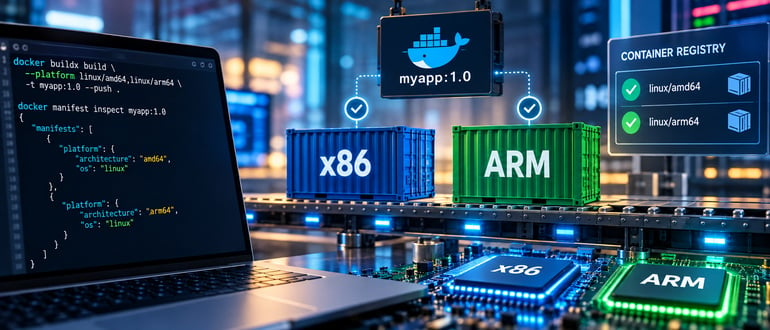
docker buildx build --platform linux/amd64,linux/arm64 -t myapp:1.0 --push .results in the generation of two distinct images, along with a manifest list linking them. When a node requests the image, the container runtime selects the appropriate entry based on the architecture. However, because these images are produced through separate build processes, any breaks in the ARM64 version won't be caught unless you actively scrutinize beyond the successful build report. The command docker manifest inspect myapp:1.0 can help you check for both architecture entries within the build output.
Identifying Break Points
Architecture Strings in Dockerfile
When writing a Dockerfile, any line that downloads binaries from an external source has implicit architecture assumptions. For example:
RUN curl -fsSL https://example.com/tool-linux-x86_64.tar.gz | tar xz -C /optThis command builds successfully on both architectures, potentially resulting in an ARM64 image containing x86 binaries. You’ll only uncover this mismatch when the binary is invoked, leading to frustrating runtime errors. A better practice is to utilize build arguments that adapt to the architecture automatically:
ARG TARGETARCH
RUN curl -fsSL https://example.com/tool-linux-${TARGETARCH}.tar.gz | tar xz -C /opt
It’s essential, however, to keep in mind that the naming conventions differ: TARGETARCH may yield amd64 and arm64, while many files are labeled x86_64 and aarch64. This discrepancy can result in builds that seem functional but are actually broken.
Native Libraries as Dependencies
Teams often overlook native libraries that arrive as application dependencies. Popular frameworks like Netty may have mixed architecture compatibility due to hand-pinned classifier settings:
<classifier>linux-x86_64</classifier>If this is discovered on an ARM host, it leads to either an UnsatisfiedLinkError or a fallback to a slower implementation, masking performance degradation. Such issues often stem from differences in naming conventions—ARM libraries may be expected to be labeled differently, causing hidden pitfalls.
Base Image Contents Matter
While a base image might advertise multi-architecture support, any layers you add could be unique to a specific architecture, resulting in discrepancies between the images. This means both builds could report success, but the actual functionality may differ significantly.
Pipelines Often Miss Failures
Many CI/CD pipelines prefer x86 infrastructure, making ARM builds reliant on emulation, which is generally slower. This often leads to teams executing the test suite exclusively on the x86 environment. Consequently, ARM images can be built, pushed, and deployed without any native testing. This lack of testing is not immediately visible until deployment, potentially revealing runtime issues across mixed deployments in Kubernetes environments.
Actionable Checklist for Migration
- Verify with docker manifest inspect to ensure both architecture variants exist as expected.
- Run your test suite directly on the ARM architecture rather than through emulation to catch issues more effectively.
- Replace hardcoded architecture strings with TARGETARCH variables everywhere in your Dockerfile.
- Audit shared objects present in the built image. Execute the following command to identify any incompatible libraries:
- Ensure that deployment settings factor architecture restrictions into rollout strategies to minimize discovery of issues during production.
find / -name "*.so" -exec file {} \; 2>/dev/null | grep -iv aarch64The Underestimated Cost of Migration
When discussing the transition to ARM, teams frequently approach it as a financial decision, highlighting clear savings. However, the real investment lies in conducting a thorough audit of dependencies. As every software stack accumulates assumptions based on the existing architecture, many dependencies may not be visible or evident in the application code. Instead, these faults are often hidden within download links, vendor libraries, or dedicated packages that cater to a single architecture.
To avoid pitfalls during migration, it's crucial to identify and resolve these underlying assumptions before they affect your deployment scheduler.
Understanding and addressing the challenges accompanying ARM migrations is critical for teams aiming to maintain smooth and reliable operations across diverse architectures. Taking action on the possible pitfalls—before they become a crisis—is imperative for a successful transition.